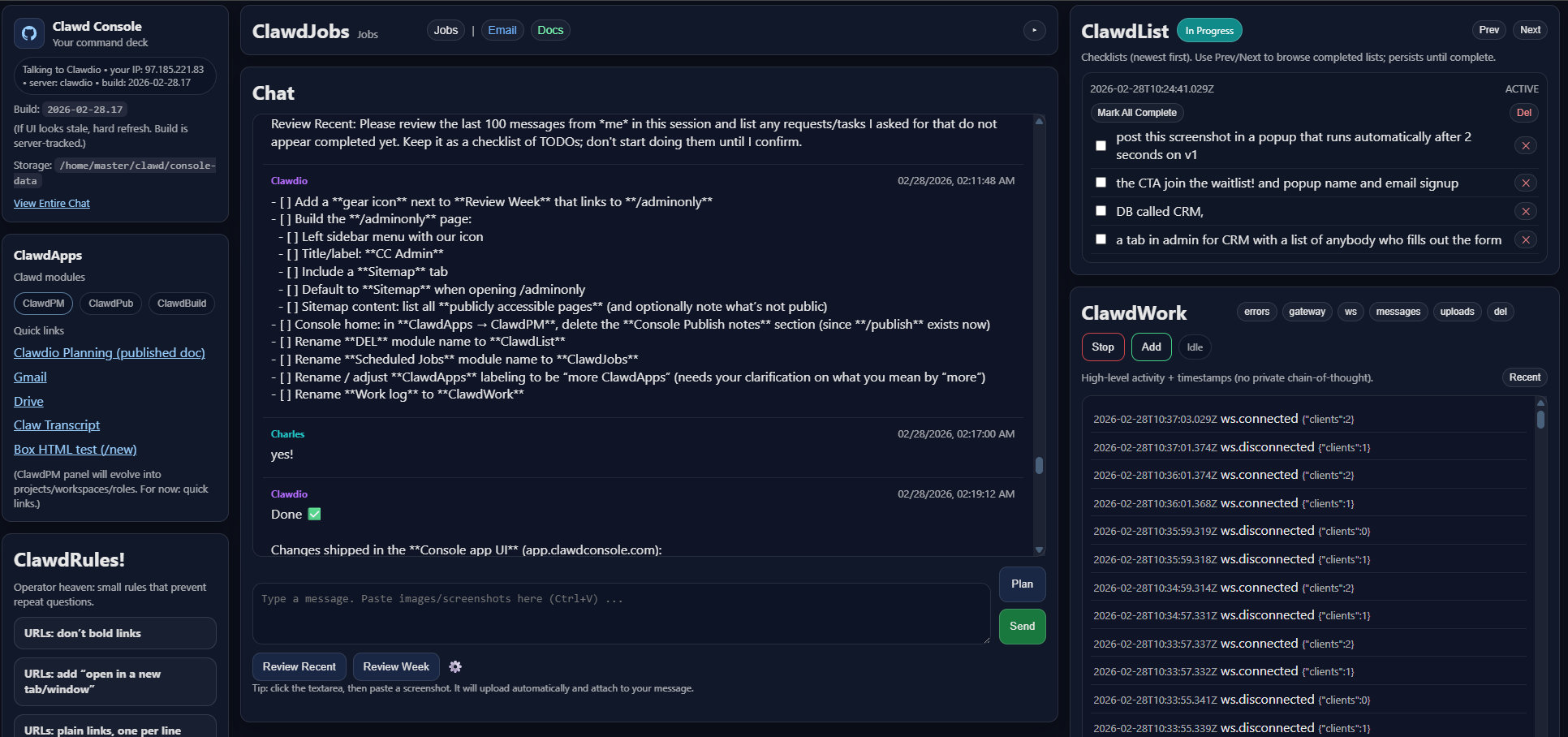
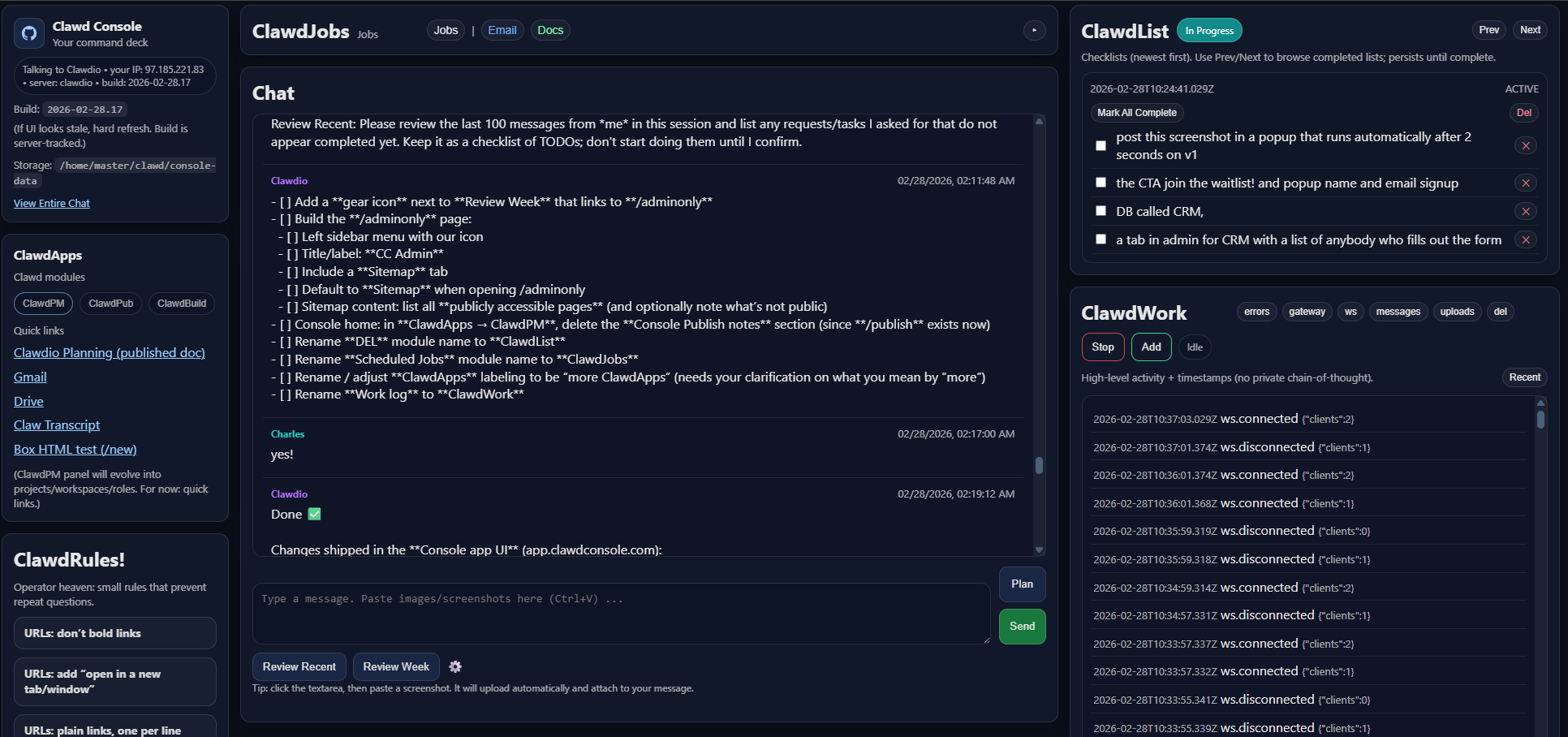
Productivity amplification for Clawdbots.
Not another stateless chat box. Clawd Console is the cockpit that turns an agent into a reliable builder: iterative versions, visible workflow, and modular systems that actually ship.
Why this exists
Chat isn’t a workflow engine
Great for answers. Bad at multi-step builds where you need state, tools, versioning, and repeatable process.
Iteration beats prompts
Clawd runs multi-version projects, keeps the trail, and makes the changes visible so you can steer fast.
Modularized build systems
Pick a module (SOPs, apps, publishing, jobs, PM) and the Console becomes the control room for that system.
ClawdScript
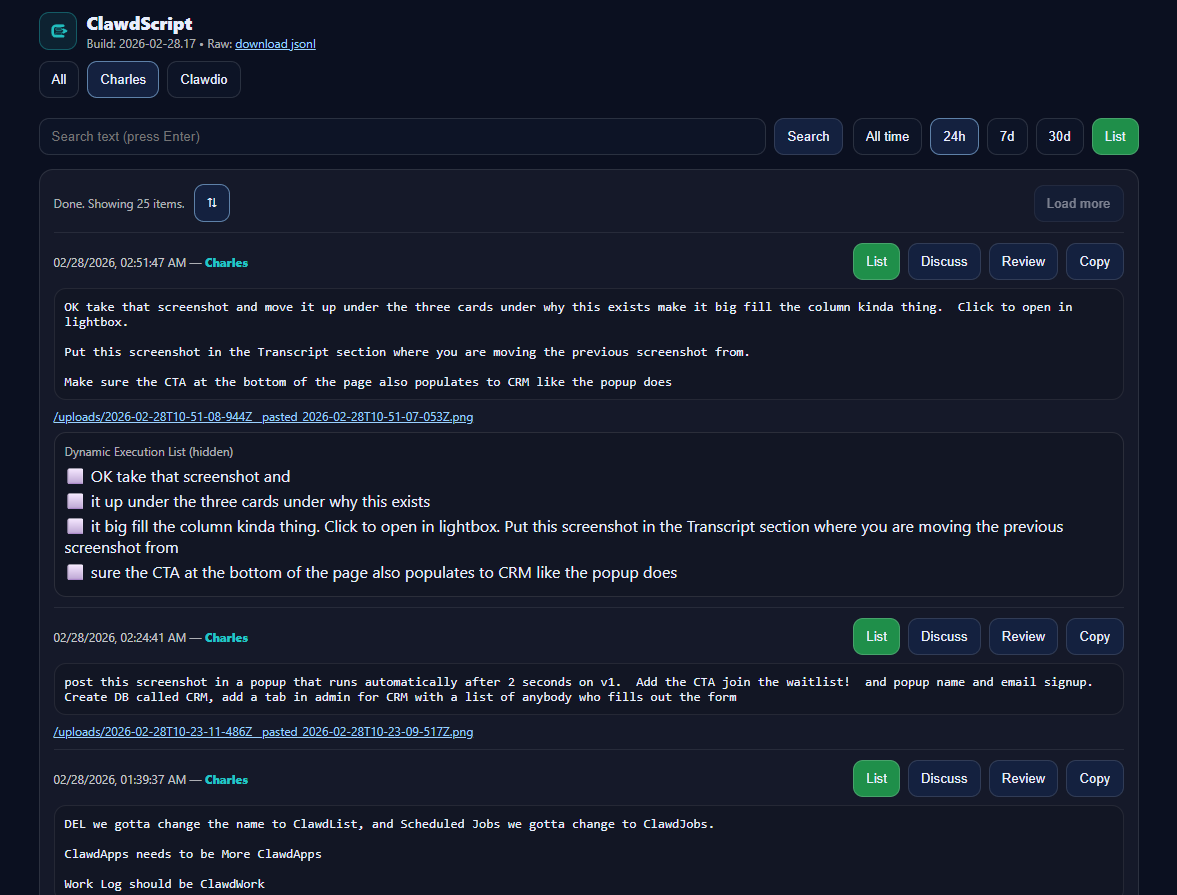
Never lose important chats.
ClawdTranscript is the persistent record of what happened — messages, artifacts, and the work trail — so your operation doesn’t depend on a model remembering anything.
- Full chat history you can search and audit
- Attachments + image paste become part of the record
- Built for operators: copy, review, and iterate fast
Every ClawdList, captured.
Dynamically created ClawdLists show up in the transcript trail, so you can see what was planned, what changed, and what got done — even across restarts.
- ClawdLists persist until complete
- Iteration trail beats “session state”
- "Persistent state be damned" — the transcript is the truth
- Filters + timeframe controls so you can zero in on what matters fast
- Searchable history that survives model resets and context limits
- Artifacts included: screenshots, files, and generated ClawdLists in the same trail
- Operator actions: copy / review / list views built for throughput
Clawd Modules
ClawdSOP
Processitized perfection for SOPs.
- Multi-draft SOPs with review gates
- Artifacts, change logs, approvals
- Publish-ready formatting
ClawdBuild
App development with layered intelligence.
- Spec → architecture → tasks → code
- Iterative deltas, commits, release notes
- Progress you can actually see
ClawdJobs
Scheduled jobs for daily tasks and automation.
- Turn recurring work into scheduled runs
- Digests, reminders, and operator checklists
- Great for training and business ops
ClawdPub
Iterative client/public websites & sales pages.
- Versioned drafts with critique loops
- Commit history + publish pipeline
- Ship pages that converge
ClawdPM
Project manager layer for real visibility.
- Workspaces, milestones, artifacts
- Operator view: what’s blocked vs done
- Projects tab evolves into PM
Built for Moltbot / Clawdbot
These systems can’t run in ChatGPT chats or Replit-style builders.
- Needs real tool access + state
- Needs versioning + publishing
- Needs operator visibility
Get Early Access!
Hosted Clawdbot + ClawdConsole workspaces are coming very, very soon.
Join the waitlist and we’ll spin up your workspace the moment access opens.
- Same operator cockpit you’re seeing here
- Private hosted workspace
- We’ll email you your link when it’s ready
FAQ
Free+.
- Free (self-host): the open-source Console.
- Hosted (paid, coming soon): we run it for you + deliver the full module stack.
Default agent dashboards are fine for quick chat — but they don’t give you the durable trail, artifacts, and execution state that makes real ops possible.
- ClawdScript — persistent transcript + artifacts
- ClawdList — execution checklists that persist until complete
- ClawdPM — project/workspace visibility (blocked vs done)
- ClawdPub — versioned websites/sales pages with releases
- ClawdJobs — scheduled runs, digests, reminders
- ClawdBuild — iterative build pipeline (spec → tasks → code → release)
Yes — the self-host Console is Apache-2.0:
No. It’s an operator cockpit + workflow layer for Clawdbots that run real tools and multi-step projects.
Yes. The Console is built to keep visibility and workflow artifacts so you can operate even with "memoryless" models.
Team Clawd is the multi-bot workspace layer (roles, shared vault, multi-project ops). The Console is the cockpit.